ProcessKO

ProcessKO
License:
Free
Language:
English
Developer:
OS:
Win98/Me/2000/NT/XP/2003/Vista/7
Updated:
See detailed info

Softonic review

Nick Mead

“Stop stubborn processes that have got stuck”

by Nick Mead about ProcessKO

Have you ever been in a situation where even Windows Task Manager can't close a process or program that has crashed?

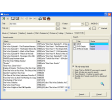
Chances are you have because it's one of the curses of Windows but fortunately, there is a way to get round this problem. ProcessKO is a far more powerful alternative to Windows Task Manager because it kills those hard to close processes that simply won't go away. The program sits discreetly in the system tray and requires simply clicking on (so no keyboard use is required) to activate in times of trouble. It shows a list of processes that are operating at any one time but note that you'll need to understand the generic names Windows assigns to your programs to know exactly what you are closing.

Process KO closes instantly those programs that you select even if they've been impossible to kill in any other way. In addition, the program "learns" which processes regularly cause you problems. In this way, it allows you to instantly access those programs that frequently crash your system and close them instantly without going through a huge process list. Even better, it fits on a USB stick so it's perfect for network administrators that need to go around rescuing blocked PCs.

A much better option than Windows Task Manager although if your mouse crashes, then it's not much use at all since you can't access it.

Pros
  • Kills stubborn processes and programs
  • Creates a shortlist of troublesome programs
Cons
  • Doesn't have desktop shortcuts
Free Download ProcessKO

Developer's description

ProcessKO is for professionals and experienced users with very good PC know-how and can distinguish a process from a program and vice versa.

ProcessKO is a small but useful tool to quickly kill a running or hanging processes or programs. It is popular among developers or program-testers that the programs do not function properly or with those that cannot even close programs using the Task Manager.

Review and rate ProcessKO

Your avatar

Your opinion is important.
Help other users - be the first to review this program.

Review
  1. Maximum: 75 characters

  2. See example

Pros and Cons
Rate
  1. What rating would you give ProcessKO?

    You need to fill in all fields

    • Usability:

      Not rated
    • Stability:

      Not rated
    • Installation:

      Not rated
    • Functionality:

      Not rated
    • Appearance:

      Not rated
    • Overall rating:

      Not rated
  2. Don't worry, we won't make your email address public.

You're not allowed to share serial numbers, cracks, etc. or link to pages that contain them. If you do, your user account will be deleted, your IP address logged and legal action will be taken.

Get started - just ask a question!

Write a title for your question.

Alternativesto ProcessKO

  • In English:
    ProcX
    ProcX

    Excellent task manager to check system active processes

    Softonic rating:
    • 9/10
    User rating:
    • 9/10
  • Better rating:
    System Explorer Portable
    System Explorer Portable

    A powerful task manager in your pocket

    Softonic rating:
    • 9/10
    User rating:
    • 10/10
Compare with ProcessKO

Screenshots from ProcessKO

Download rank: System Monitoring

45 of 63

Softonic rating:
  • Good
  • 7/10
Your rating:
Your rating
  • 0

Review and rate this program

Top Downloads: System Monitoring

  • United States
  • Global

  1. Displays various stats about your motherboard

Reviews of ProcessKO in other languages